
Introducing Product Gifts: Boost Sales with Free Gifts for Botble Ecommerce
Introducing Product Gifts: Boost Sales with Free Gifts for Botble Ecommerce
Product Gifts is a premium plugin for Botble CMS that transforms your promotional strategy with intelligent gift automation. Automatically offer free gift products when customers meet purchase conditions, increasing average order value and customer satisfaction.
Whether you're running seasonal promotions, clearing slow-moving inventory, or rewarding loyal customers, Product Gifts provides all the tools you need to create compelling gift offers that drive sales.
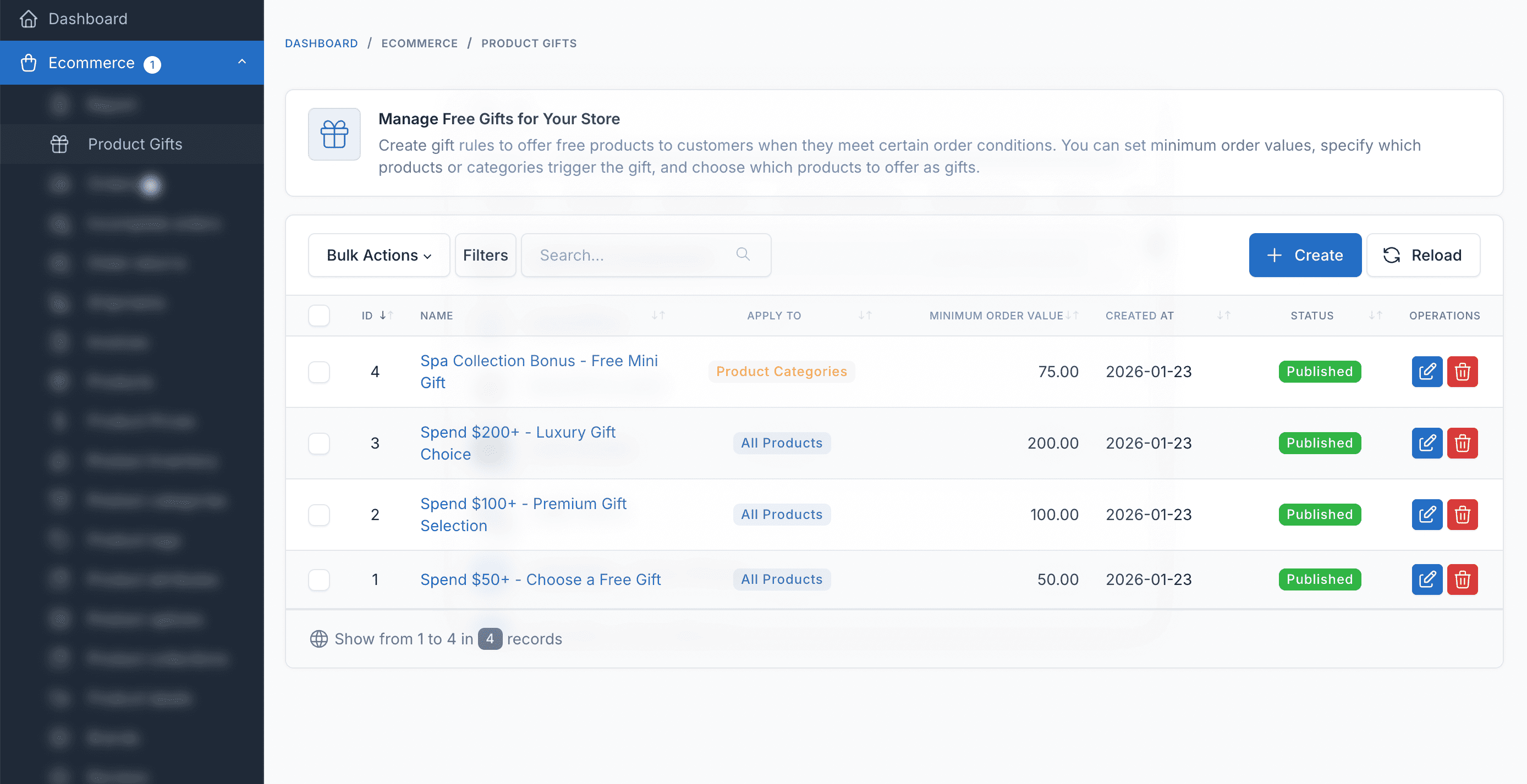
Table of contents [Show]
Why Product Gifts?
Everyone loves free gifts! Here's how Product Gifts can transform your e-commerce store:
- Increase Average Order Value: Customers spend more to reach gift thresholds, naturally increasing your revenue per transaction
- Boost Customer Satisfaction: Create memorable shopping experiences that keep customers coming back
- Clear Slow-Moving Inventory: Offer products that need movement as gifts at order thresholds
- Fully Automated: Set up rules once and let the system handle everything - from gift eligibility to order fulfillment
- Run Effective Campaigns: Schedule promotions with start/end dates, target specific products or categories
Key Features
Flexible Gift Rules
Create unlimited gift promotion rules with customizable conditions. Set minimum order values, schedule promotions with start/end dates, and enable/disable rules instantly from the admin panel.
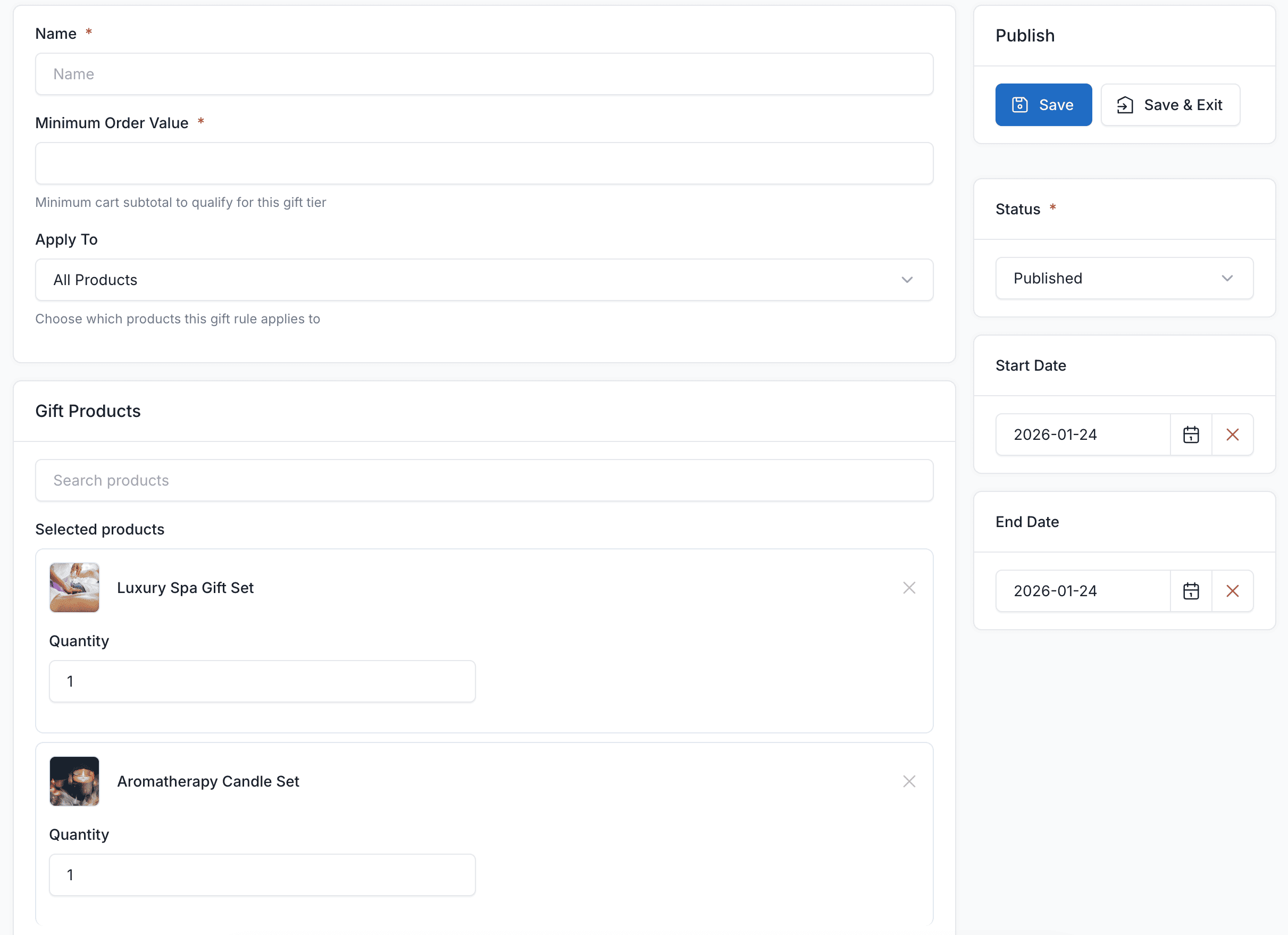
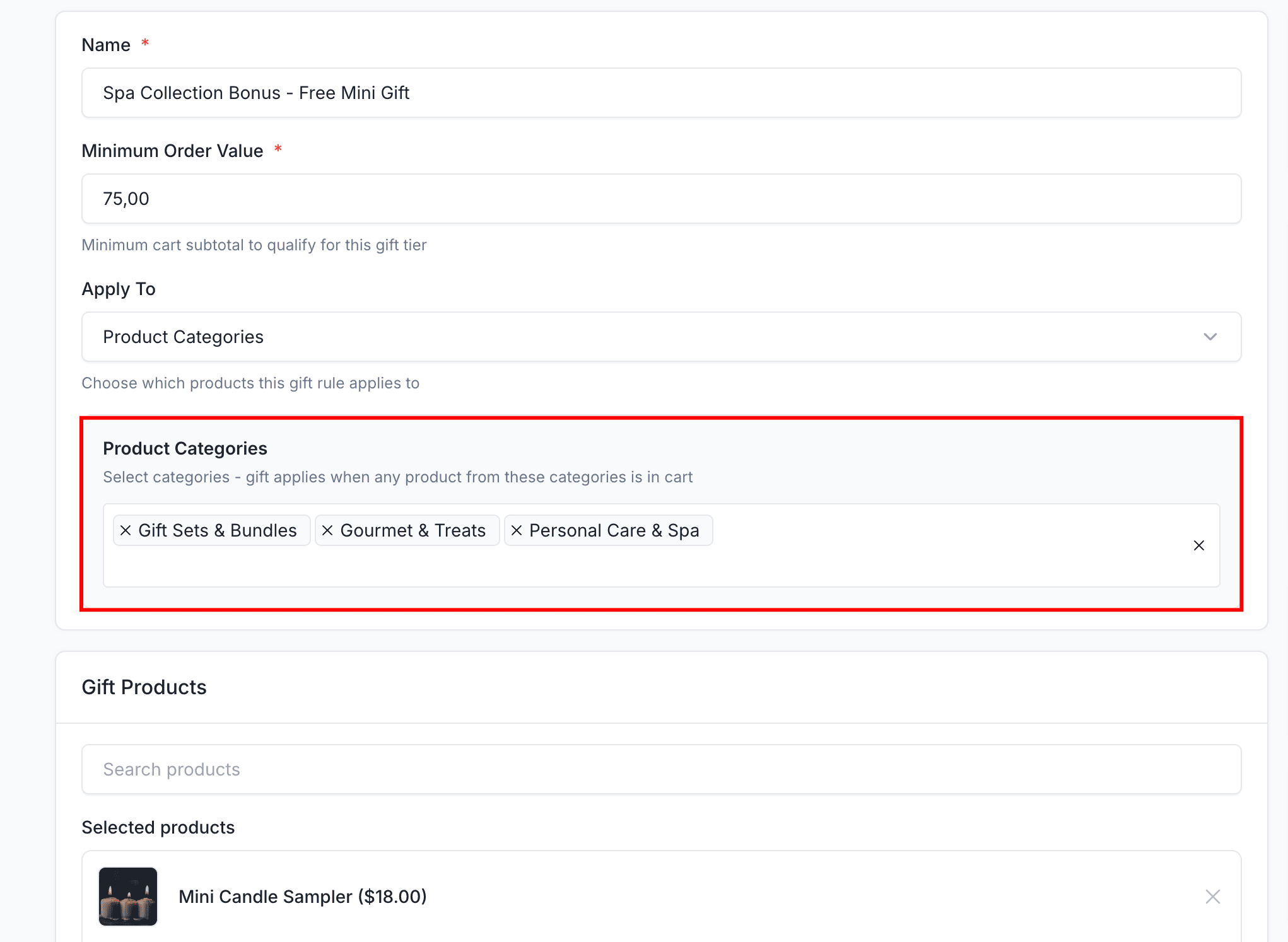
Apply gifts in three different ways:
- Store-wide: Gift applies to any order meeting minimum value
- Specific Products: Target only selected individual products
- Product Categories: Trigger gifts when any product from selected categories is in cart
Offer multiple gift choices per rule and let customers pick their favorite:
- Define multiple products as gift options for each rule
- Set configurable quantity per gift
- Automatic inventory validation (only shows available products)
- Out-of-stock items are automatically skipped
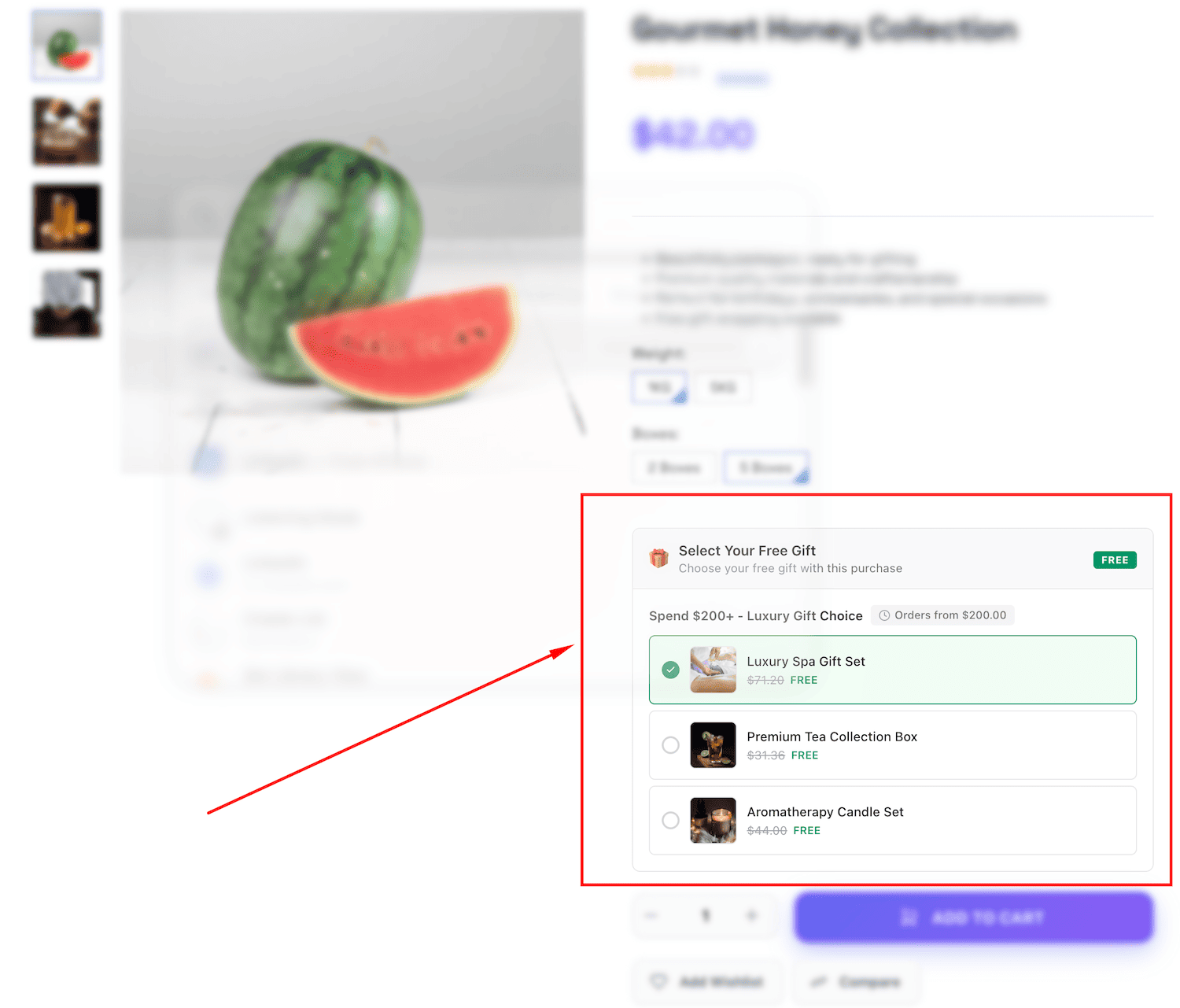
Beautiful Cart Integration
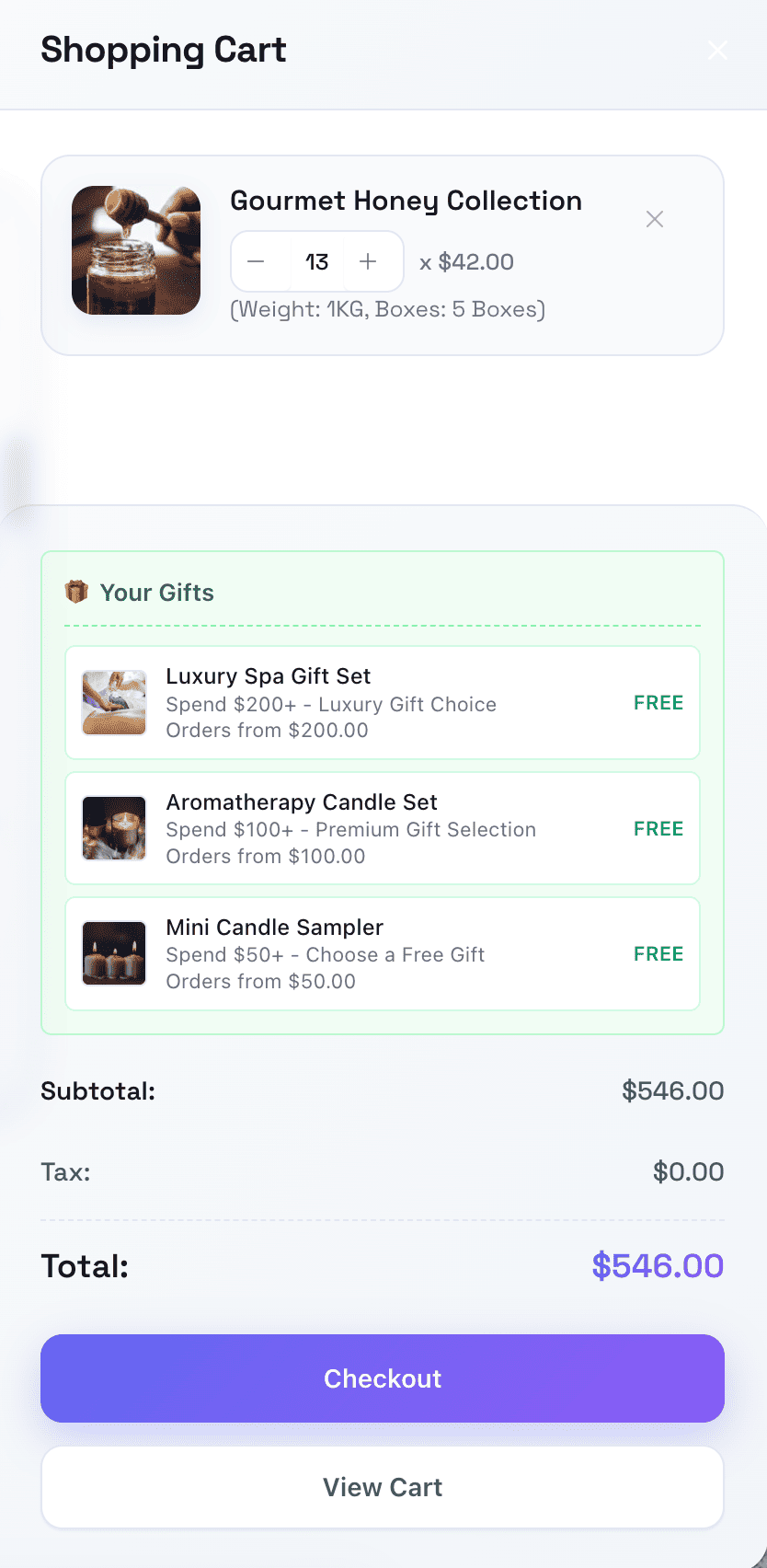
Gifts appear automatically when customers qualify with stunning visual display:
- Interactive gift selector on product pages
- Real-time updates based on cart contents
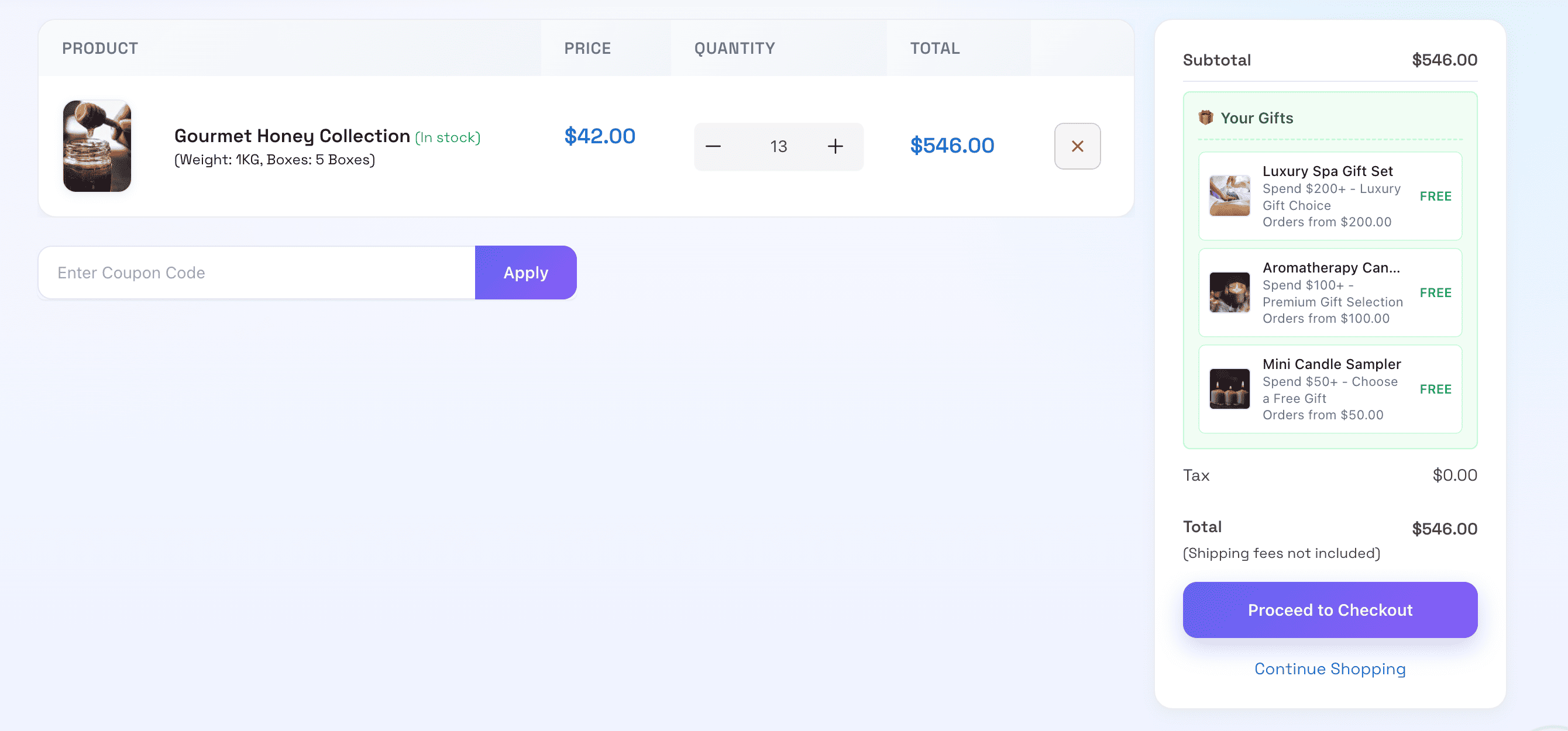
- Gift summary in shopping cart
- Seamless checkout experience
Fully Customizable Appearance
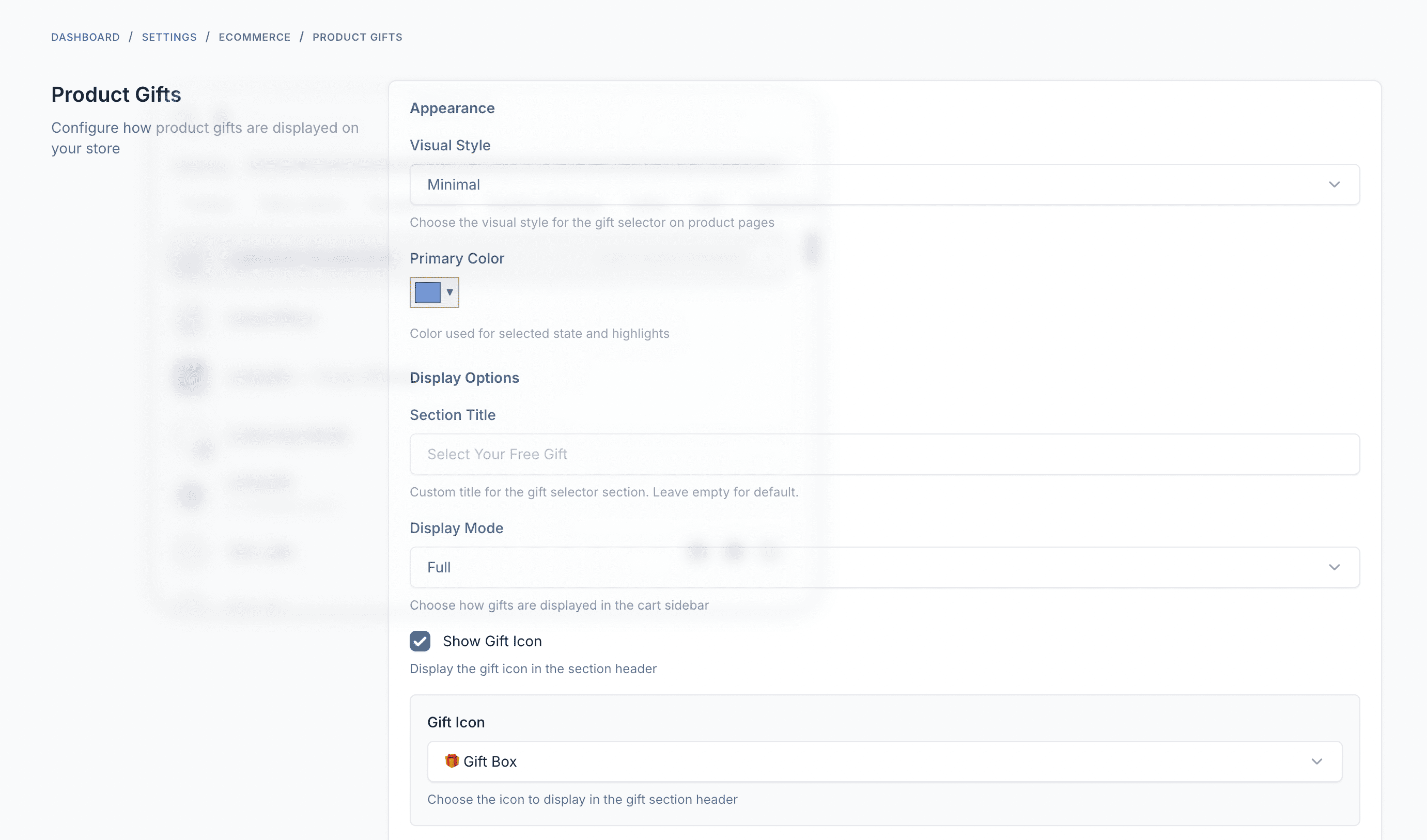
Match your brand with extensive customization options:
| Setting | Options |
|---|---|
| Display Styles | Modern, Minimal, Classic, Elegant, Playful |
| Display Modes | Full or Compact |
| Primary Color | Custom hex color picker |
| Gift Icons | 10 emoji options (gift box, ribbon, confetti, star, and more) |
| Show/Hide | Product images, original prices, icons |
Marketplace & Multivendor Support
Full support for multivendor marketplaces:
- Vendors can create and manage their own gift rules
- Separate vendor panel with optimized interface
- Store-level data isolation
- Intelligent order consolidation for multivendor checkout
How It Works
Getting started with Product Gifts is straightforward:
-
Create Gift Rules: Set minimum order values, choose gift products, configure dates, and define targeting conditions in the admin panel
-
Customer Shops: When customers add products to cart and meet your conditions, available gifts automatically appear
-
Select & Checkout: Customers choose their preferred gift, confirm at checkout, and the gift is automatically added to their order at $0
Customer Experience
Product Page Display
Interactive gift selector appears on individual product pages showing all available gift tiers the customer qualifies for.
Shopping Cart
Gift summary section displays selected gifts with product names and images. Shows tier qualification status and warnings for unqualified tiers.
Checkout & Order
Dedicated gift selection section at checkout with radio button selection interface. Gifts are clearly displayed in order confirmation and admin order details.
Multi-language Support
Product Gifts is available in 30+ languages including:
English, Vietnamese, French, German, Spanish, Portuguese, Italian, Dutch, Russian, Arabic, Turkish, Polish, Thai, Japanese, Korean, Chinese (Simplified & Traditional), Indonesian, Hindi, Bengali, and more.
Technical Specifications
| Specification | Details |
|---|---|
| Version | 1.0.1 |
| Minimum Core Version | Botble CMS 7.6.4+ |
| PHP Version | 8.2+ |
| Required Plugin | Ecommerce |
| Database | MySQL 5.7+ or MariaDB 10.3+ |
Installation Guide
Requirements
- Botble CMS version 7.6.4 or higher
- PHP version 8.2 or higher
- Active E-commerce plugin (required)
- MySQL 5.7+ or MariaDB 10.3+
Installation Steps
-
Download the plugin from CodeCanyon downloads page
-
Extract the downloaded zip file to your computer
-
Upload the extracted folder to
platform/plugins/ecommerce-product-giftsdirectory on your server -
Go to Admin > Plugins in your Botble CMS admin panel
-
Activate the Product Gifts plugin by clicking the "Activate" button
-
Navigate to Ecommerce > Product Gifts to start creating gift rules
After installation, configure your display settings in Settings > Product Gifts to match your store's branding.
Compatibility
Product Gifts works with all Botble e-commerce themes available on CodeCanyon including:
- Farmart
- Martfury
- Shofy
- Ninico
- Flavor
- And all other Botble e-commerce themes
The gift display automatically integrates with your theme's cart and checkout pages.
What's Included
- Complete plugin source code
- 30+ language translations
- Admin management interface
- Frontend display components
- Multivendor support
- Comprehensive documentation
- 6 months free support
- Lifetime free updates
Demo & Support
- Live Demo: https://product-gifts.botble.com
- Documentation: https://docs.botble.com/product-gifts
- Support Center: https://botble.ticksy.com
Get Started Today
Transform your promotional strategy and start delighting customers with free gifts. Product Gifts makes it easy to create compelling gift offers that drive sales and build customer loyalty.
Note: This plugin requires Botble Ecommerce as the base platform. Make sure you have Botble CMS with the Ecommerce plugin installed before setting up Product Gifts.
Leave a comment
Your email address will not be published. Required fields are marked *

Wholesale (B2B) - Tiered Pricing & Customer Groups for Botble Ecommerce
Turn your Botble e-commerce store into a B2B wholesale platform. Manage customer groups, set tiered quantity-based prici...
License Manager - Self-Hosted License & Update Manager for Your Products
Introducing License Manager, a self-hosted Laravel-based solution for managing software licenses, activations, and updat...